Tokenize a contact credit card
To enable card-on-file features such as this one, you must contact Jetpay support directly.
Use this flow when you want to securely store a customer's credit card for future payments.
This is typically used if your platform allows users to save cards to their account, you want to support one-click payments, and/or you plan to use the direct chargedirect charge or preauthorize and capturepreauthorization flows.
Unlike adding contact bank accountsadding bank accounts, card details are never handled by your servers. Jetpay provides a secure hosted tokenization component that communicates directly with the card network.
Prerequisites
- Jetpay API KeyAPI token
- An existing Jetpay Contact IDContact
- A configured webhook endpoint to receive tokenization events
Flow overview
sequenceDiagram
    actor Customer
    participant Platform Frontend
    participant Platform Backend
    participant Jetpay API
    participant Card Service

    Platform Backend->>Jetpay API: POST /contact/{identifier}/creditCards/url
    Jetpay API-->>Platform Backend: url + credit_card_id

    Platform Backend-->>Platform Frontend: url

    Platform Frontend->>Customer: Render iframe (url)
    Customer->>Jetpay API: Enter card details (via hosted iframe)

    Jetpay API->>Card Service: Tokenize card
    Card Service-->>Jetpay API: Tokenization result

    Jetpay API-->>Platform Backend: Webhook: credit_card_tokenized (success/failure)
Implementation details
Request a single-use tokenization URL
Endpoint: POST /contact/{identifier}/creditCards/url
curl https://extapi.demo.jetpay.baselinepayments.com/contact/contact_123/creditCards/url \
  -X POST \
  -H "Authorization: Bearer <YOUR_API_TOKEN>" \
  -H "Content-Type: application/json"
The API will respond with an HTTP response code of 200, and the following response body:
{
  "url": "https://secure.jetpay.com/tokenize/session_abc",
  "credit_card_id": "card_456"
}
You should store the credit_card_id immediately, but the card is not usable until tokenization succeeds.
Display the hosted card component
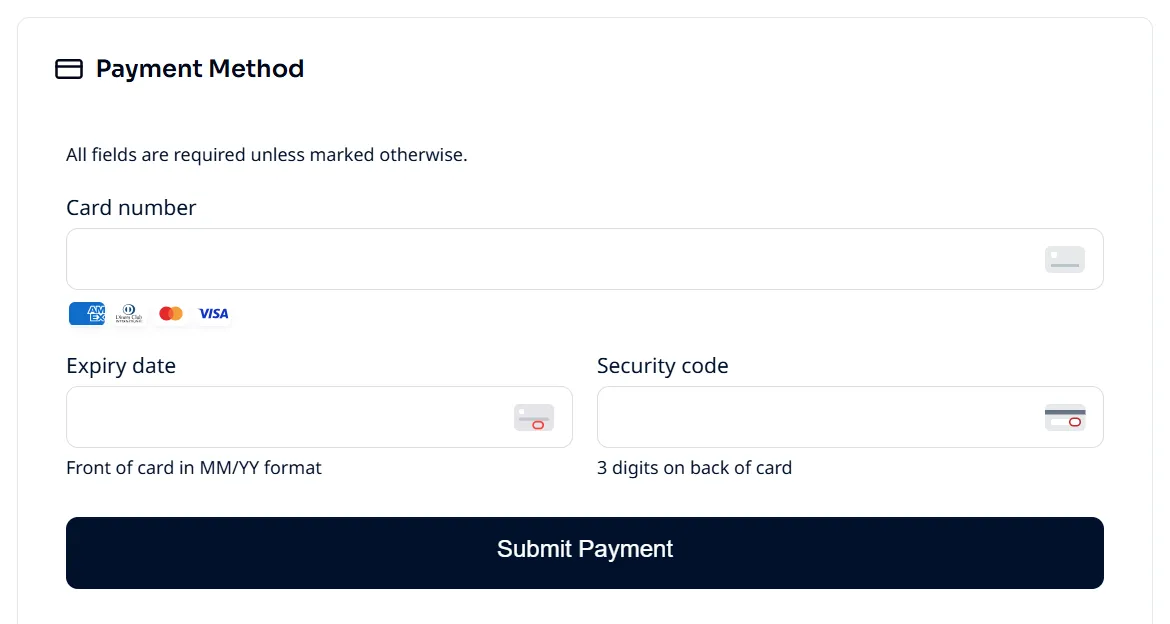
Render the returned url inside an iframe in your frontend.
Card details are entered directly into Jetpay's secure environment. Card info is never exposed to your frontend and never transmitted through your backend.
This significantly reduces your PCI scope.
Wait for tokenization confirmation (webhook)
Once the customer submits their card details, Jetpay processes the tokenization. Although this process is typically quite fast, it can take up to a couple minutes. Therefore, we will send you credit card tokenization success awebhook event indicating that the tokenization succeeded.
Only after receiving a successful event should you mark the card as active in your system and allow it to be selected for payments.
Do not assume success based on iframe behaviour alone.
Using the tokenized credit card
With a Contact (contact_id) and a tokenized credit card (credit_card_id), you can proceed with the following credit card payment flows:
If you are unsure of exactly what flow fits your use case, check out the Find your use case and Receive payments guides.